
Case study · Fintech
Accounting Automation.
Bank-connected bookkeeping & tax reporting
We designed an accounting automation platform that helped businesses reduce manual bookkeeping, connect bank transactions, categorize expenses, and prepare cleaner financial reports.
Start your project →- Industry
- Finance & fintech
- What we built
- 5 integrated components
- Key outcome
- 9 → 4 Days to month-end close
Overview
Reducing bookkeeping friction through automation.
A growing business needed a financial operations platform that could simplify bookkeeping, reduce manual data entry, and provide clearer visibility into expenses, cash flow, and tax-ready reports.
Their existing process relied on disconnected spreadsheets, manual bank reconciliation, receipt tracking, and repeated cleanup before monthly and annual reporting.
The main challenges included:
- Manual transaction entry and bank reconciliation
- Inconsistent expense categorization across teams and accounts
- Limited visibility into cash flow, spending patterns, and tax obligations
- Time-consuming preparation for accountant review and tax reporting
The goal was an automated accounting system that connected financial data, reduced repetitive bookkeeping, and produced cleaner reporting for business decisions.

Experience flow
From raw transactions to tax-ready reports.
The solution
A connected bookkeeping automation platform.
We developed an accounting automation system that connected bank feeds, expense tracking, categorization rules, reconciliation workflows, dashboards, and tax reporting.
Core components
The platform turned financial operations into a repeatable workflow for transaction intake, categorization, review, reporting, and accountant-ready export.
-
01
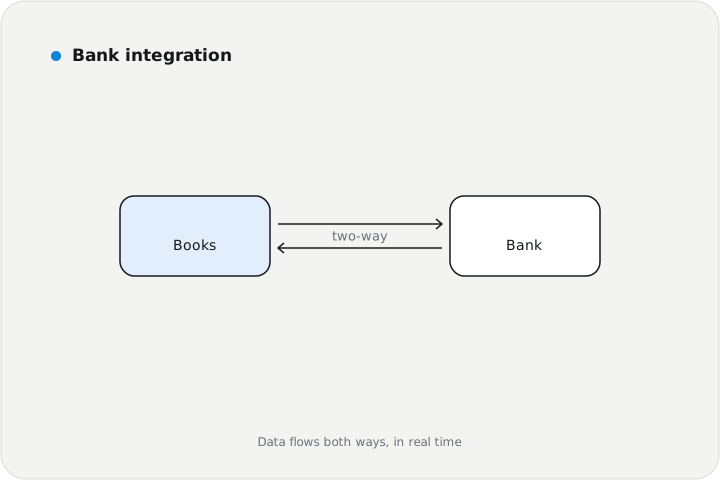
Bank integration
Banking
Connected bank feeds for automatic transaction import
Transaction matching for deposits, payments, and transfers
Reconciliation support across accounts and periods
-
02
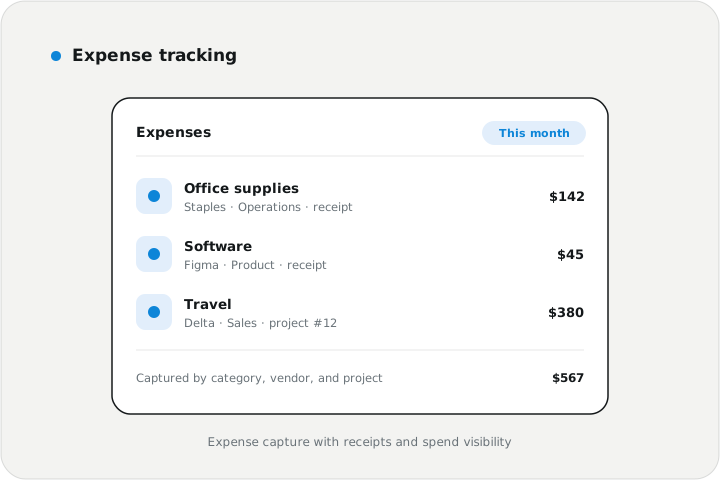
Expense tracking
Expenses
Expense capture by category, vendor, project, and account
Receipt attachment and transaction documentation
Spending visibility across teams and business units
-
03
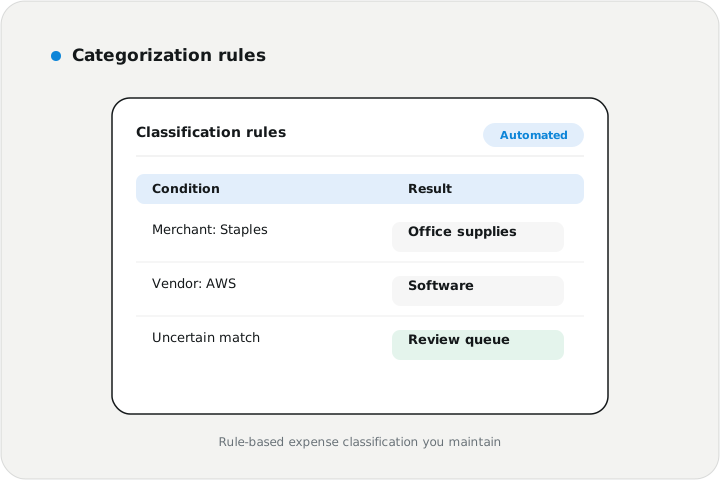
Categorization rules
Automation
Rule-based expense classification
Recurring vendor and transaction pattern detection
Review queues for uncertain or uncategorized items
-
04
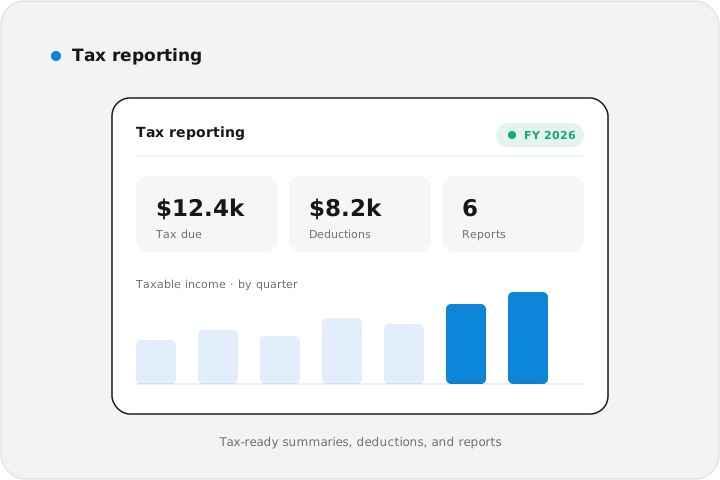
Tax reporting
Tax
Tax-ready summaries by category and reporting period
Deduction tracking and documentation support
Exportable reports for accountant review
-
05
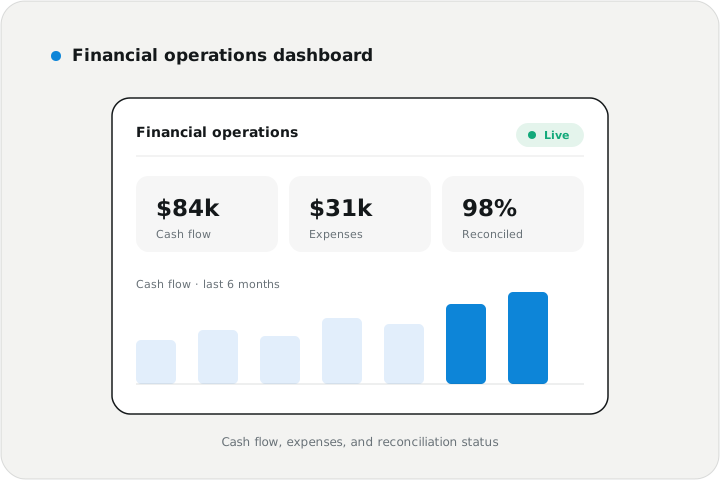
Financial operations dashboard
Dashboard
Cash flow, income, expenses, and account activity views
Bookkeeping status and reconciliation progress
Monthly reporting insights for business owners
Stack used
- Accounting automation platform
- Bank feed integration
- Expense tracking
- Rule-based categorization
- Tax reporting
- Financial dashboards
Implementation approach
Phased delivery.
-
01
Bookkeeping workflow assessment
Mapped transaction sources, expense categories, reconciliation steps, tax reporting needs, and accountant handoff.
-
02
Financial data model design
Defined accounts, transactions, vendors, categories, receipts, rules, reports, and review workflows.
-
03
Automation build
Implemented bank import, expense tracking, categorization rules, reconciliation support, dashboards, and tax reports.
-
04
Validation and launch
Tested transaction accuracy, category rules, report totals, permissions, reconciliation, and accountant-ready exports.
Results
Outcomes at a glance.
- Bookkeeping automated
- Bank connected
- Tax-ready reporting
Month-end close went from nine days to four. The auditors noticed before we told anyone. My staff stopped dreading the first week of the month, and honestly, so did I.
- Reduced manual bookkeeping through automated bank transaction intake and categorization
- Improved expense visibility by organizing transactions by vendor, category, project, and account
- Created faster accountant handoff through cleaner records, attached receipts, and exportable reports
- Improved tax preparation with structured summaries and documentation-ready expense tracking
- Built a scalable foundation for payroll, invoicing, forecasting, and advanced financial analytics
Impact & outcome
A more reliable financial operations backbone.
We delivered an accounting automation platform that helped the business simplify bookkeeping, improve financial visibility, and prepare cleaner records for tax and accounting review.
Small and growing businesses need financial systems that reduce manual work without losing control. This solution connected banking, expenses, reports, and tax preparation into one practical automation workflow.
The first rule set over-categorized office supplies; the exception review they built to fix it became the standing process for every new rule.
Need accounting automation software?
We build fintech software for bank integration, expense tracking, bookkeeping automation, tax reporting, and financial dashboards. We'll reply within one business day — no pressure, no sales script.
Start your project →