Approvals and routing
Purchases, time off, credit decisions, or compliance sign-offs—routed to the right person with SLAs, escalations, and a clear audit trail.

Workflows
Approvals, hand-offs, and copy-paste between apps run themselves, so people stop shuffling data around and get to the work only they can do.
We build workflow software around how decisions actually get made in your business—who signs off, what triggers the next step, and where the record lives when it's done.
Let's talk about your workflows →
The problem
Email threads, shared drives, and sticky notes carry the real workflow while official systems lag a step behind. Every hand-off is a chance for delay, duplicate entry, or "I thought someone else handled that."
Custom workflow software does not mean replacing every app overnight. It means one place that orchestrates the steps, enforces the rules, and writes back to the systems that still earn their keep.
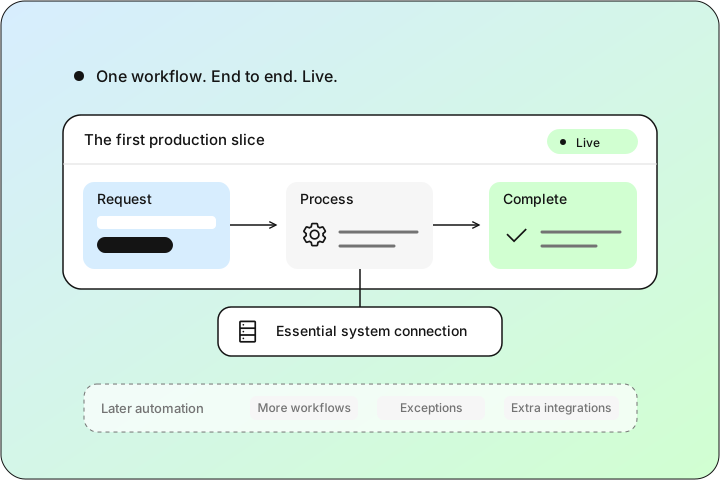
Pick the hand-off that hurts most—credit approval, intake, close, fulfillment—and prove the model in production before you automate the long tail.
Purchases, time off, credit decisions, or compliance sign-offs—routed to the right person with SLAs, escalations, and a clear audit trail.
Sales to ops, intake to delivery, front desk to back office—status moves forward automatically when the previous step is complete.
Push updates to CRM, accounting, inventory, or ticketing so nobody copies the same fields into three tabs.
Automate the repeatable 80%; surface edge cases with context so judgment calls stay with the people who should make them.
Dashboards for queue depth, SLA risk, and bottlenecks—so managers intervene before customers feel the delay.
Built for the people running the process
Workflow software should feel like the process your best operator already describes—not a rigid template that forces new habits overnight.
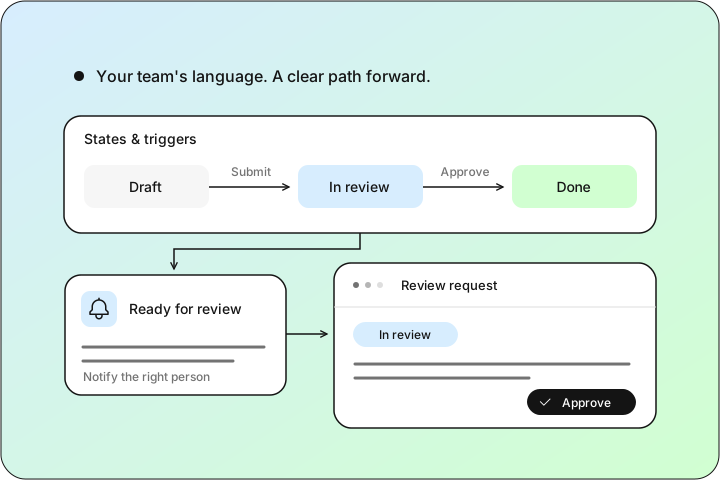
We design states, notifications, and screens around the language your team uses. Integrations write back to the systems finance and ops trust, so automated steps still reconcile.
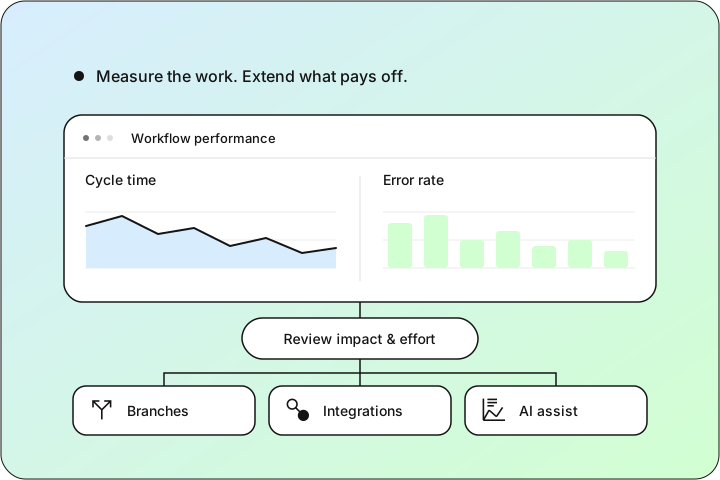
Ship one end-to-end path first, measure cycle time and error rates, then branch into parallel flows and integrations as the ROI is obvious.
Work routes instantly to the next owner instead of waiting in an inbox until someone remembers to forward it.
Decisions, attachments, and timestamps in one place—ready for audits, customer questions, or training new hires.
Fields captured once and synced where they're needed—fewer typos and fewer "which version is right?" debates.
SLA timers and reminders so nothing sits invisible while a customer or regulator is waiting.
Structured steps make it straightforward to add rules, integrations, or AI assist where they actually save time.
These are typical goals for workflow projects—not guaranteed savings. What improves first depends on which flow you automate and how deeply it connects to your systems.
What that can look like
Examples from client work—each opens a full case study.
Digital applications, credit scoring, approval routing, and document management in one lending pipeline.
Read the case studyBank feeds, receipt tracking, and reporting without the monthly spreadsheet scramble.
Read the case studyUnified messaging and routing so customer conversations don't fall between tools.
Read the case studyAPIs and automation that keep CRM, ERP, and SaaS tools speaking the same language.
Read the case studyInternal ops dashboards and team tools live under Internal tools; broader platforms under Custom software.
How we get there
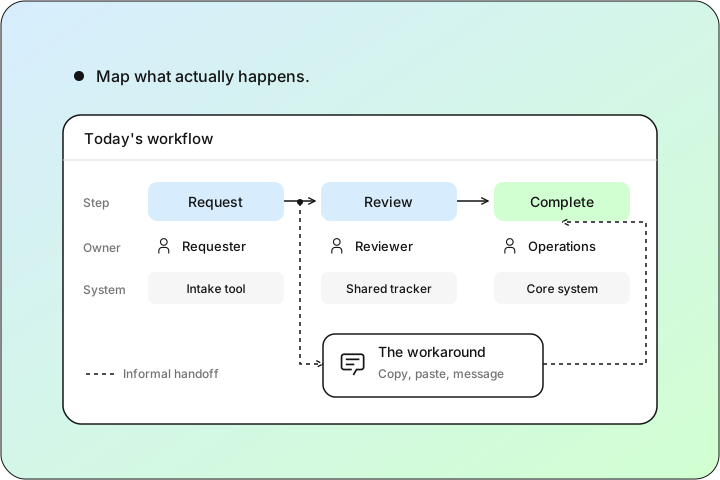
Walk through the steps, owners, and systems involved today—including the workarounds nobody puts in the org chart.
States, triggers, notifications, and screens that match how your team already describes the job.
One workflow end to end in production, integrated where it matters most, before automating the long tail.
Track cycle time and error rates, then add branches, integrations, and AI assist where they pay off.
What you get
Code, infrastructure, and accounts yours from day one—extend it on your own timeline, with no lock-in.
States, decisions, and timestamps in one place for audits, customer questions, and onboarding new hires.
Routing, reminders, and escalations keep work moving without anyone forwarding emails or chasing status.
Writes back to CRM, accounting, inventory, or ticketing so the same fields never get typed twice.
Cycle-time and error-rate tracking so you can prove impact and pick the next workflow worth automating.
Approvals stuck in inboxes, data copied between apps, or status nobody trusts—we'll help you scope the first fix.
Let's talk →Answer a few quick things and the right person gets back to you within one business day — with a plan, a fixed quote, or a prototype to click through.
Sign in to your CYBERCUBE client portal to track projects, view live dashboards, and message your team.
Ask about our work, services, or how we'd approach your project.
Hi, I'm Ping — CYBERCUBE's assistant. Tell me what you're trying to build or fix, and I'll point you the right way, or connect you with the team.
Prefer a human? or email [email protected].